
SARS Payment Process on:
Al Baraka Internet Banking (Old Portal)
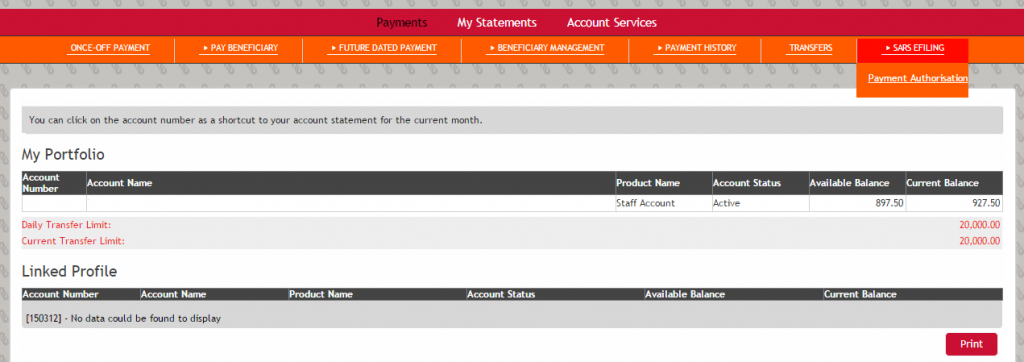
4. Click ‘SELECT’ on the required payment (if more than one is displayed)
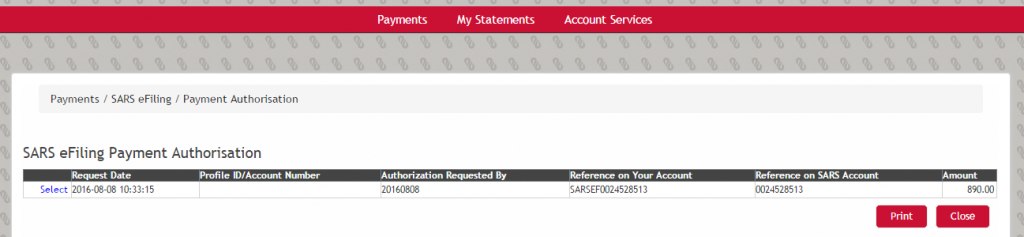
5. Click ‘APPROVE’ and the payment is complete
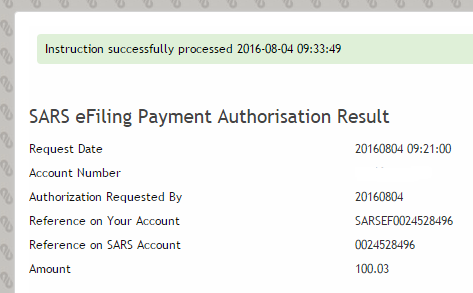
Transactional Banking Web & Mobile App
Kindly see the steps below to log on to Transactional banking web and approve SARS payments.
Please note: To use the new internet banking platform, you must first be registered on the Al Baraka Banking App.
Web App Link: https://mybanking.albaraka.co.za/index.html
Steps to log in and approve SARS payments:
1. Open the web app link above.
2. Enter your app username and password.
3. Click Authorize Login.
4. An OTP will appear on your phone app.
5. Enter the OTP on your browser and log in.
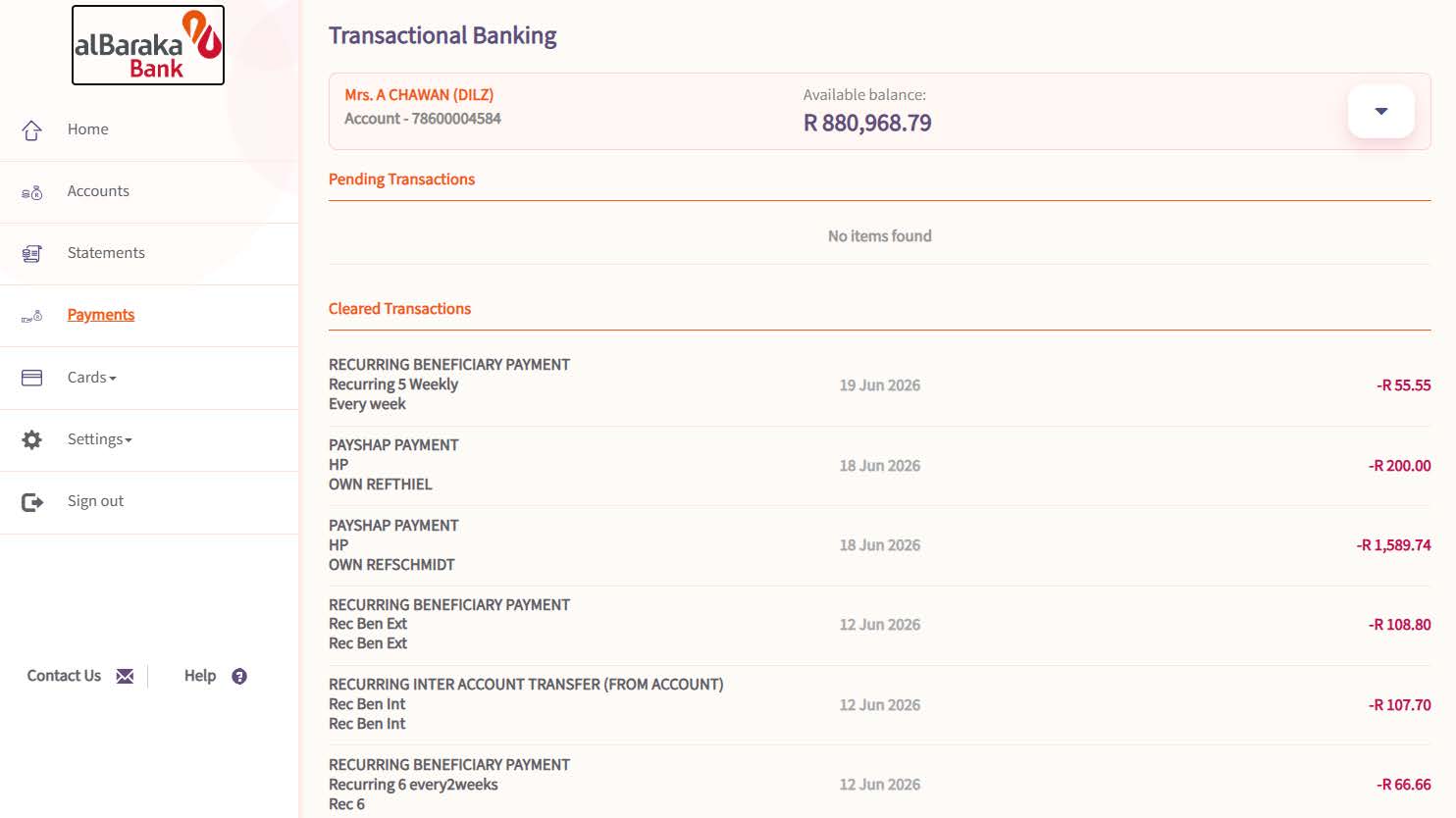
6. Click on Transactional Banking.
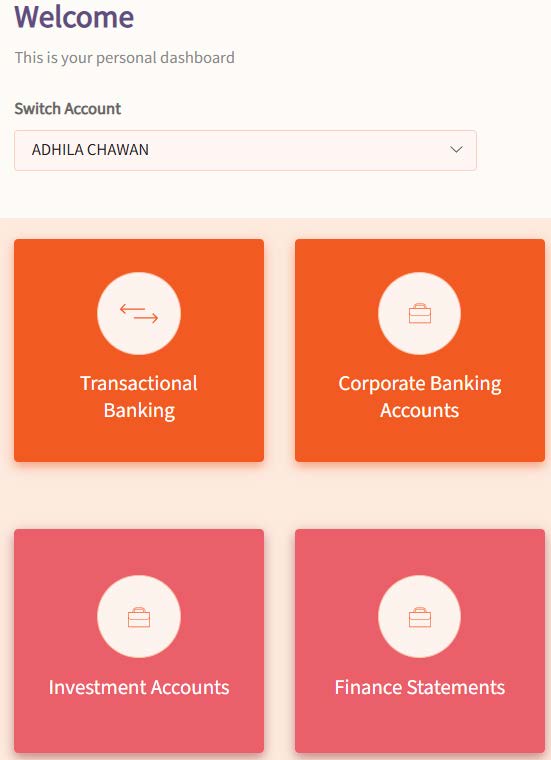
7. Select the payments tab
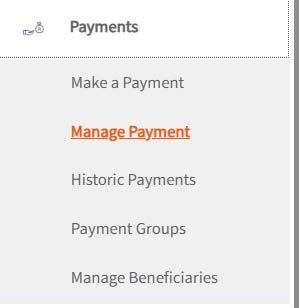
8. Then select manage payment
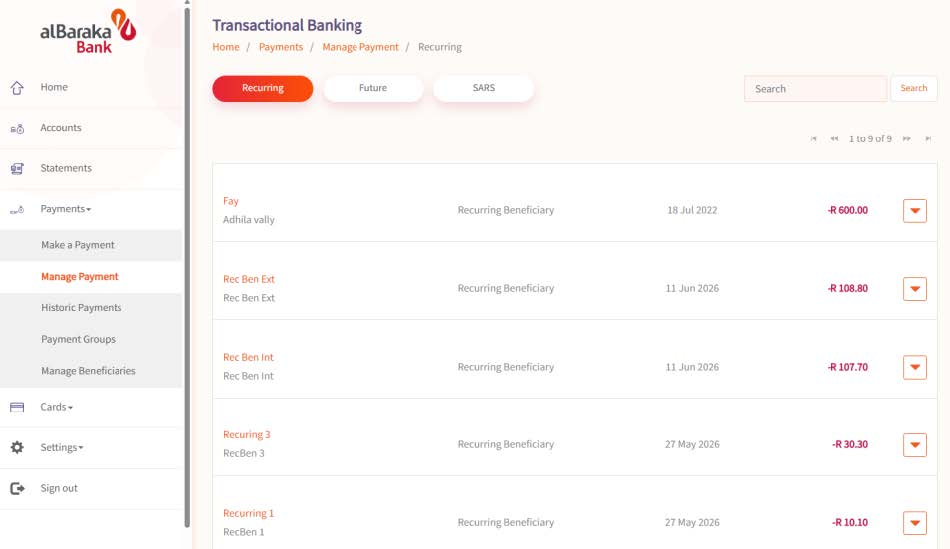
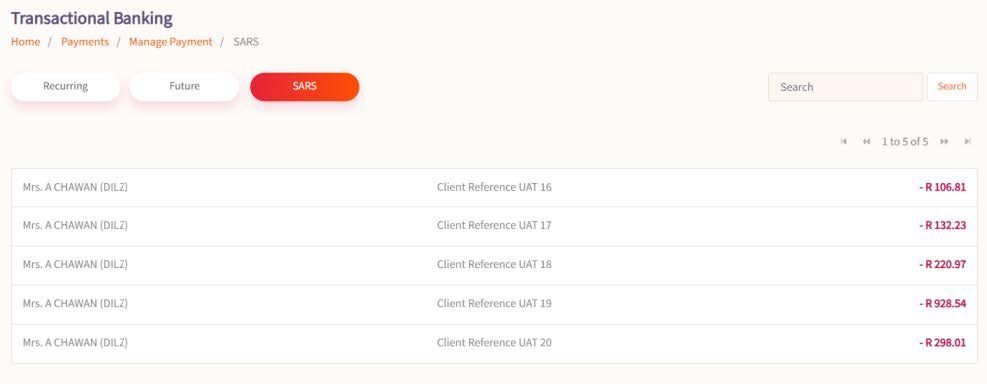
9. Select SARS on the page below
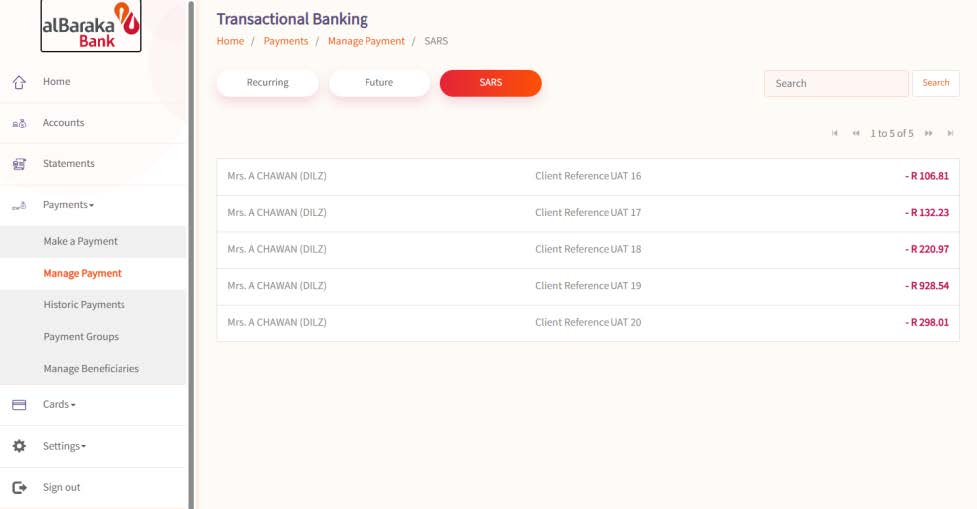
10. Select the payment that requires approval.
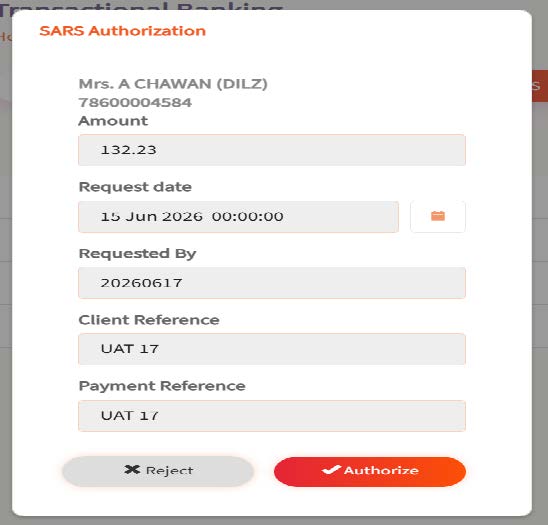
11. Approval screen below
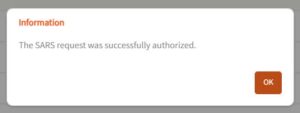
12. Once approved you will receive a notification.
13. Once the payment has been approved, you will be able to view it on your statement or under the Payment History tab.
Al Baraka Corporate Banking Web
Kindly see the steps below to log on to corporate banking web and approve SARS payments.
Please note: To use the new internet banking platform, you must first be registered on the Al Baraka Banking App.
Web App Link: https://mybanking.albaraka.co.za/index.html
Steps to log in and approve SARS payments:
1. Open the web app link above.
2. Enter your app username and password.
3. Click Authorize Login.
4. An OTP will appear on your phone app.
5. Enter the OTP on your browser and log in.
6. Click on Corporate Banking.
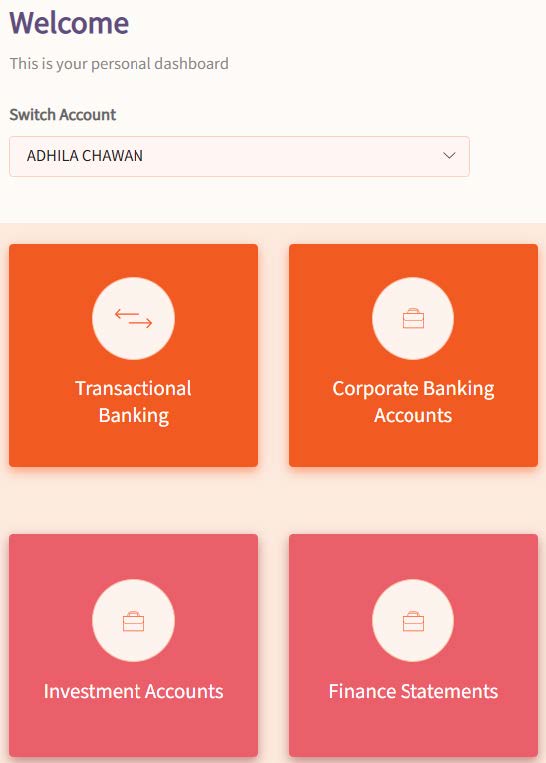
7. Select the 1st Approver profile.
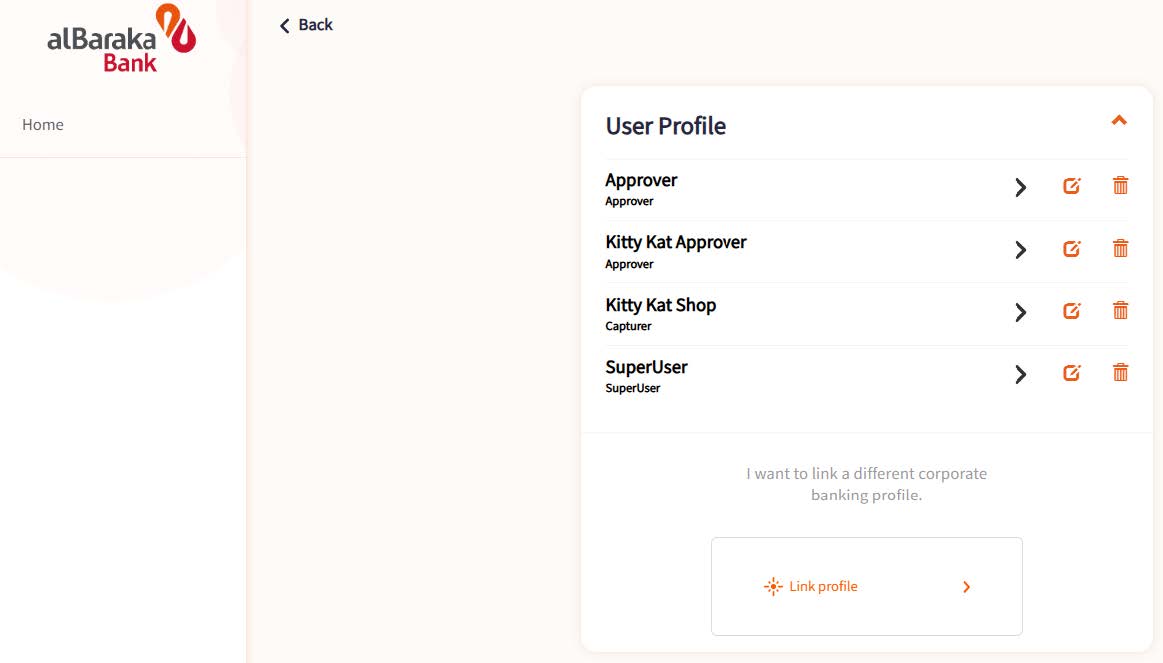
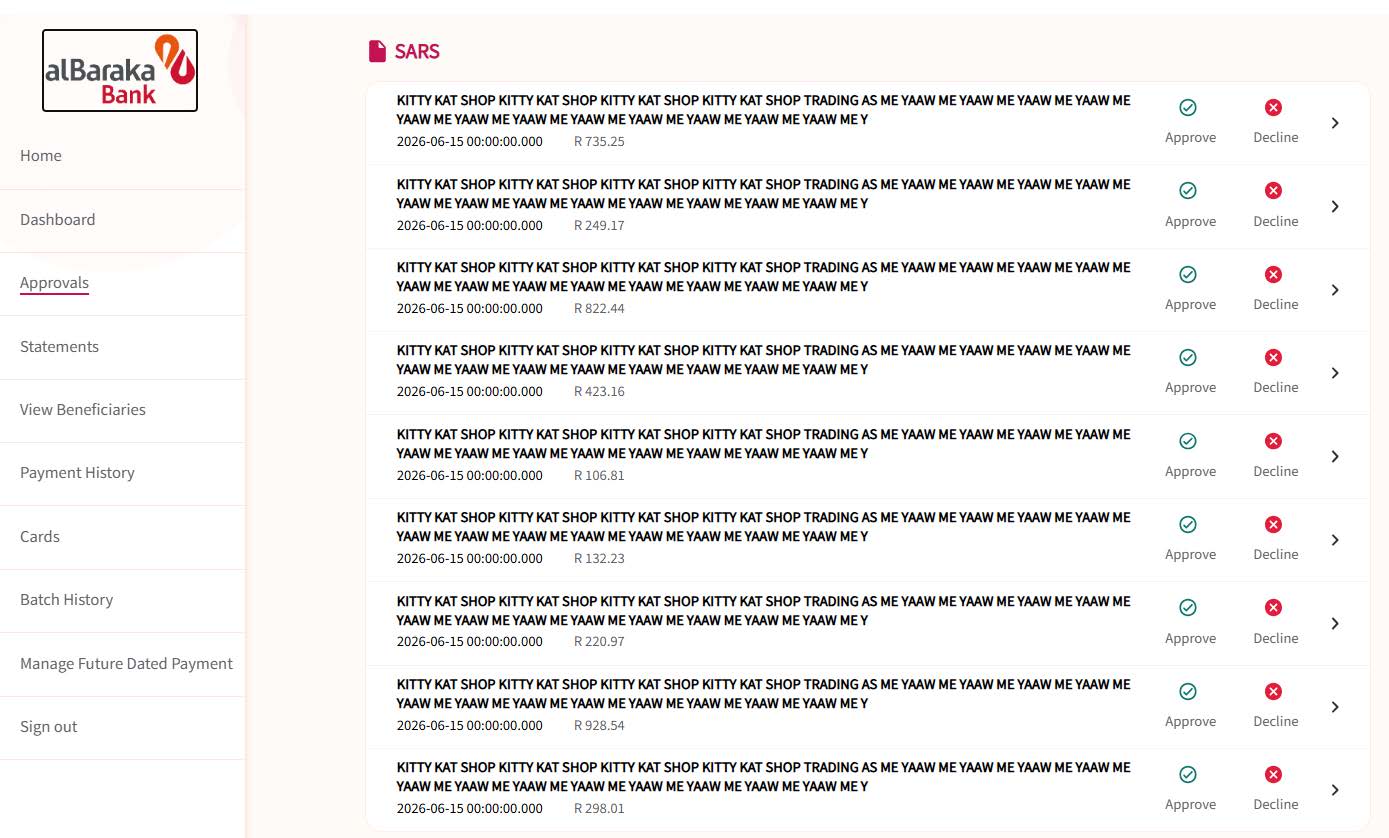
8. Click approvals and page down to SARS.
9. Click Approve to approve the SARS payment.
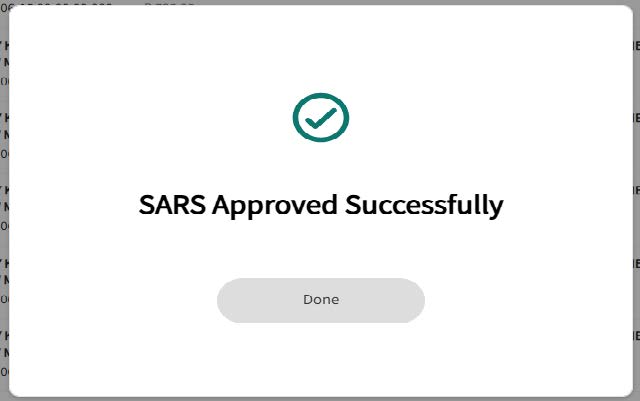
10. Once completed, the 2nd Approver will need to follow the same steps to approve the SARS payment.
11. Once the payment has been approved, you will be able to view it on your statement or under the Payment History tab.
For more information or further assistance contact Albaraka Bank on:
Telephone: 0860 225 786
Email: [email protected]
Disclaimer: The information published concerning the banks’ products has been provided by the relevant banks and SARS has been granted permission to make this information available on our website.