
How to register
As a registered taxpayer, you can register for SARS eFiling, which allows you to make payments to SARS or request a tax compliance certificate, in addition to providing access to a variety of other benefits and services via an electronic platform.
To register as an eFiler:
- Visit the SARS eFiling and click on REGISTER; or
- Download the SARS MobiApp from your mobile device’s Google, Apple and Huawei stores and tap on REGISTER. This is how the SARS MobiApp looks like:
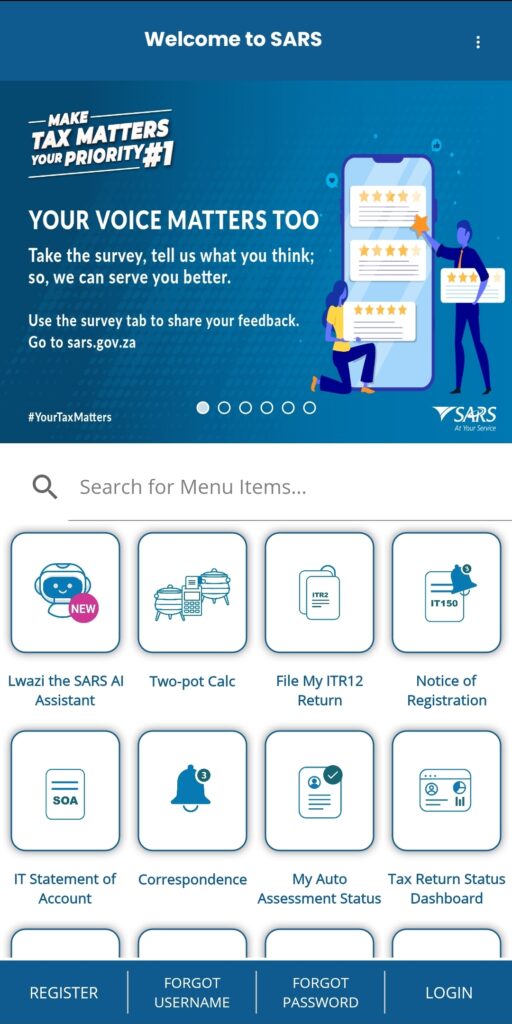
Once you have registered, you can have different roles, for example:
- Acting as yourself when administering your own individual taxes;
- Acting as the registered representative or an employee for a company;
- Acting as an agent on behalf of someone else:
- Registered Tax Practitioners
- Employees with delegated authority from a registered tax practitioner
- Foreigner acting on behalf of a company or an individual.
SARS will recognise you as an electronic filer once your eFiling registration is complete.
Upon registration, SARS will verify the information captured during the registration process. The outcome of this will be communicated on your eFiling registration verification page or via email. If your registration is successful, a One Time Pin (OTP) will be sent to your preferred channel of communication, to allow you to complete your registration. Once you have successfully entered the OTP, the eFiling Login Screen will display.
If we are unable to finalise your eFiling registration immediately we may request additional information before we issue an OTP to you.
Once SARS has verified your details, you will be notified via email and SMS. The notification will include detailed instructions on how to complete your registration.
Top Tip: Need help uploading supporting documents (relevant material)?
Need help?
If you need help to Register for eFiling, watch our helpful tutorial video.